MVP CHECKER.
IS YOUR IDEA READY?
- Answer five quick questions
- Scored on a build-readiness rubric
- See exactly what to build first
- Done in less than a minute
WATCHYOUTUBE TUTORIALSTechbaby | Forma StudioProduct design, Framer, AI workflows. New videos every week.
VIBE CODED PROJECTS
FREE FRAMER TEMPLATES
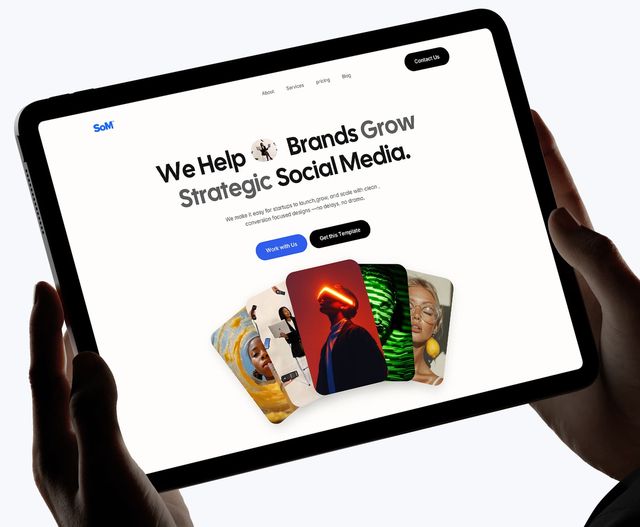
Social Media Agency Website Template
A free Framer template for social media agencies.
GET FREE TEMPLATE
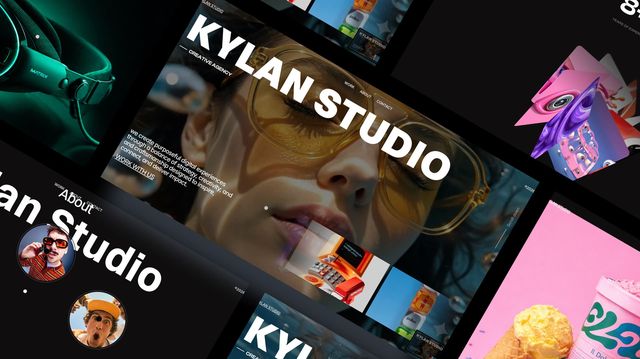
HOW TO REMIX A FRAMER TEMPLATE
1
CLICK THE REMIX LINK
Pick a template above and click its remix link to open it in Framer.
2
CREATE A FRAMER ACCOUNT
Don’t have one? Sign up for free. Already have one? Just log in.
3
EDIT YOUR TEMPLATE
Swap in your own text, images, colors and links to make it yours.
4
PUBLISH IT
Hit Publish in Framer and your site is live.
ABOUT (LIKE IT WAS)
MEET THE BUILDER
A Product Designer exploring AI app building, sharing ideas, experiments, tools, and lessons from turning ideas into real digital products. 💗CLAUDENETLIFY
ADD AN APP TO YOUR DEVICE
📱 IPHONE / IPAD
Use Safari- Open the app in Safari.
- Tap the Share button (the square with an arrow).
- Scroll down and tap “Add to Home Screen”.
- Tap Add. The icon now sits on your home screen.
🤖 ANDROID
Use Chrome- Open the app in Chrome.
- Tap the menu (three dots) at the top right.
- Tap “Install app” or “Add to Home screen”.
- Tap Install or Add to confirm.
💻 PC / MAC
Chrome or Edge- Open the app.
- Click the install icon at the right of the address bar. Or open the menu: Chrome > Cast, save and share > Install page as app. Edge > Apps > Install this site as an app.
- Click Install.
- It opens in its own window. Pin it to your taskbar or dock. (Mac Safari: File > Add to Dock.)
Don’t see “Install”? “Add to Home screen” always works and makes a shortcut.